How to Update the Location for a Meter?
Use "Meters" from the Main Menu to search for the meter you want to assign to the account.
Note that you can't change a Meter's assigned Location on an active account. In this case, you need to close the Account before changing the Location.
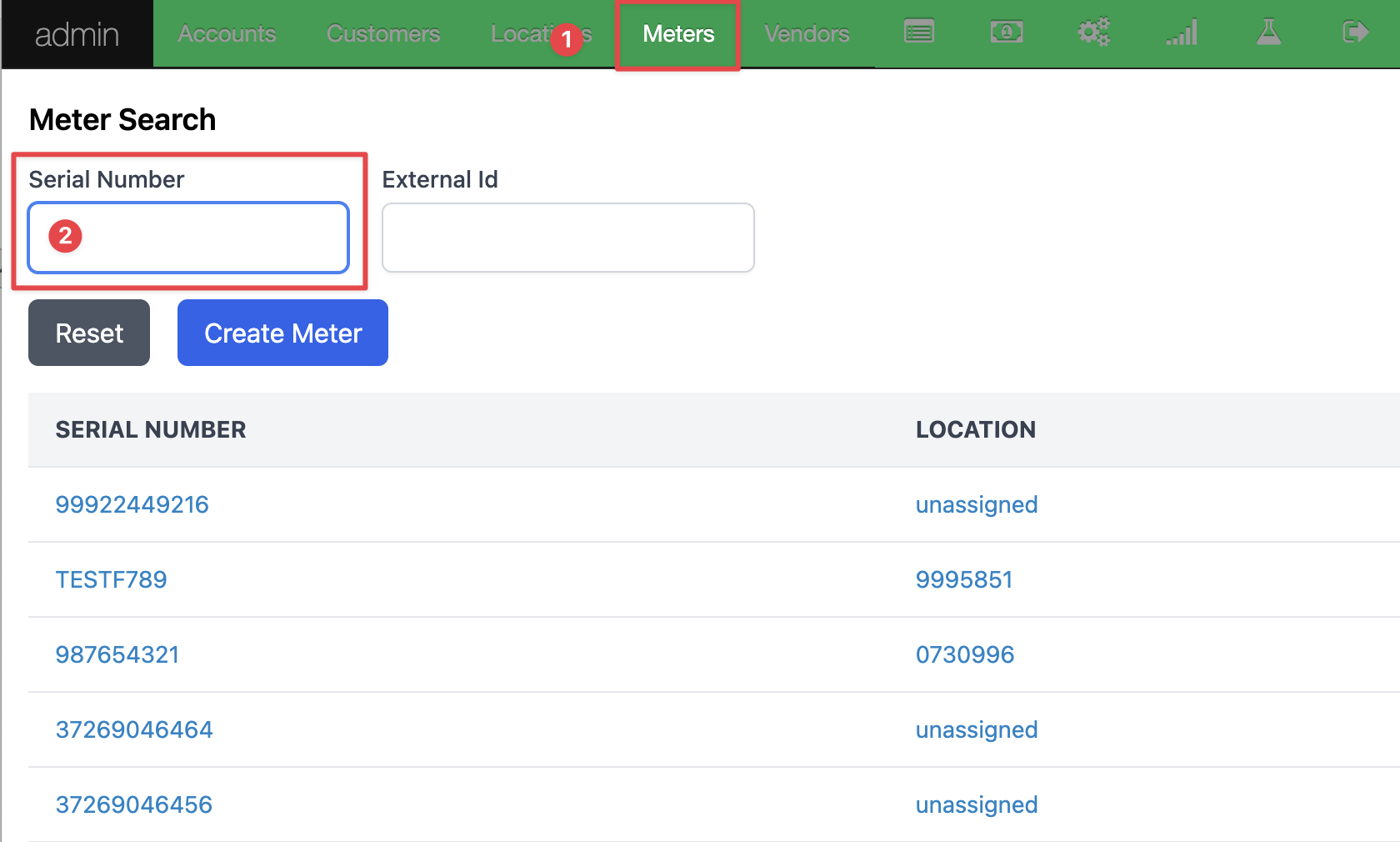
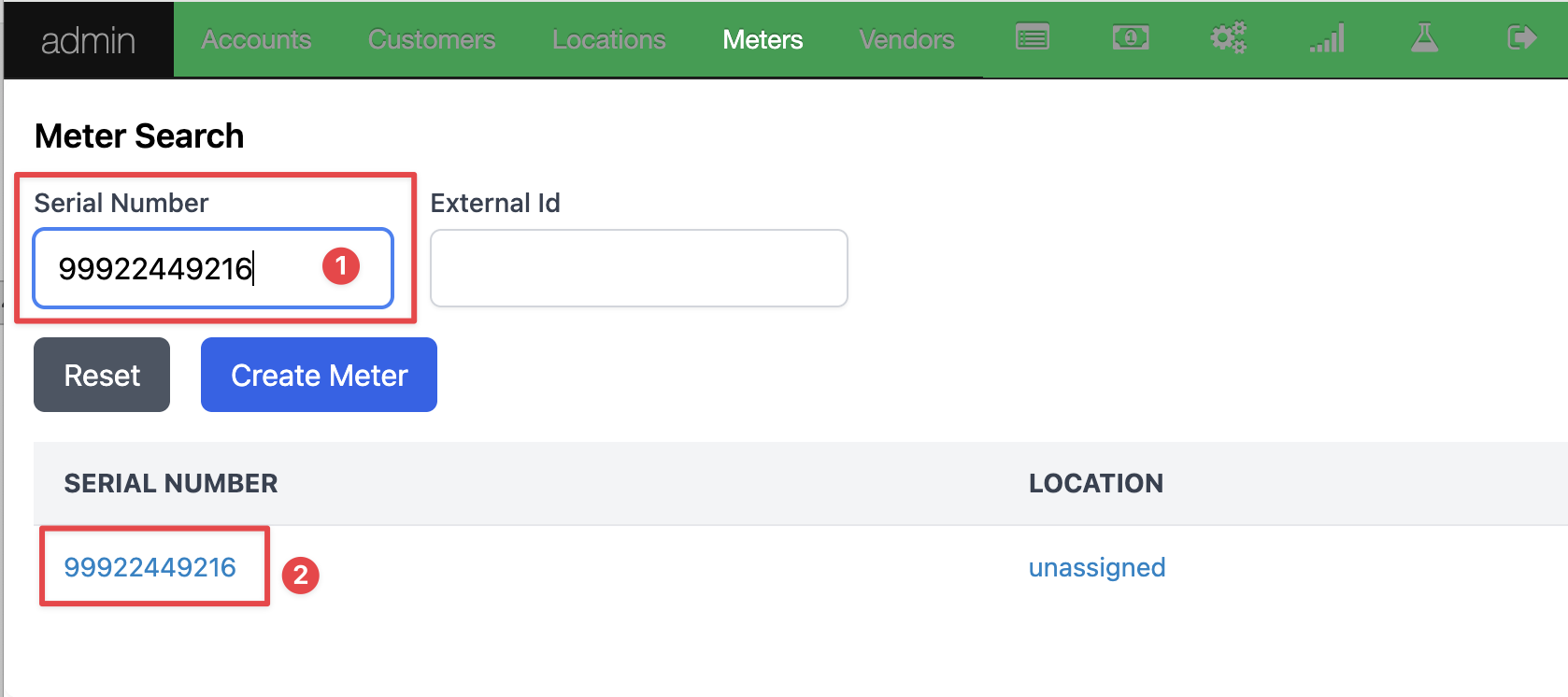
Enter the meter serial number and select the meter you want to assign.
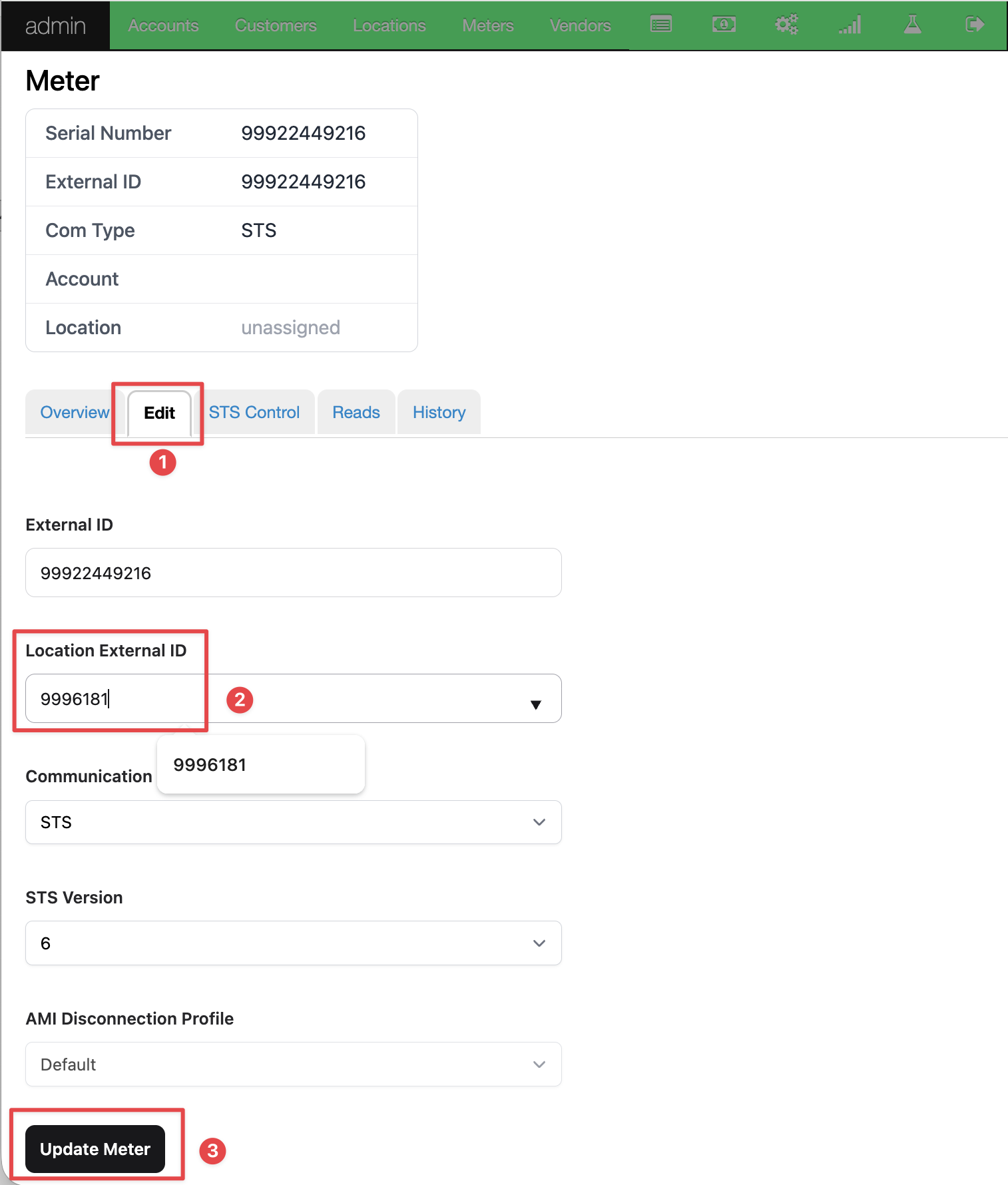
Add the location (premise ID) to the meter by selecting the "Edit" tab and entering the location (premise ID), then pressing the "Update Meter" button.
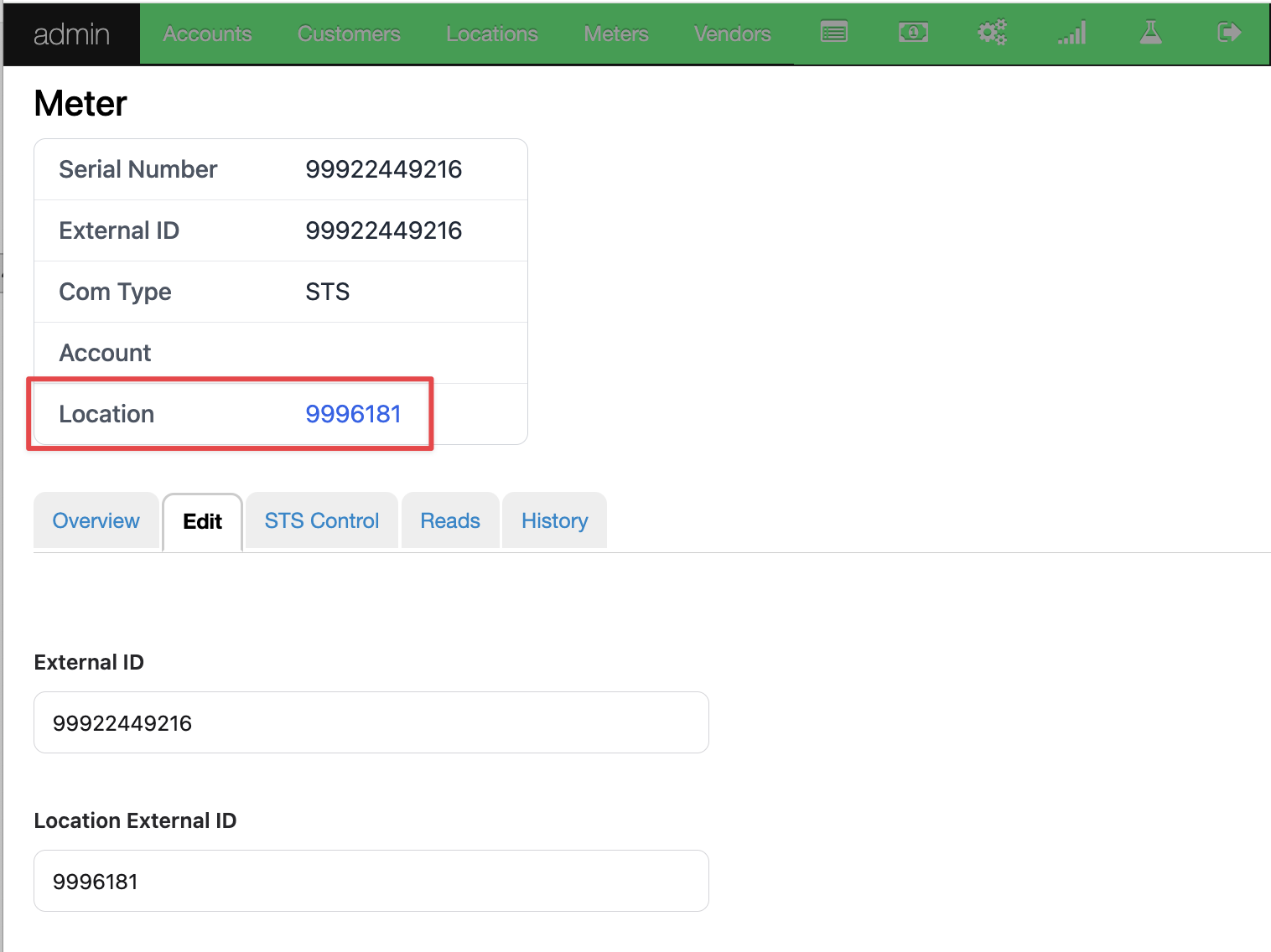
Confirm the location (premise) is added to the meter.
Was this article helpful?